PROXY
Rule Routing and Global Routing
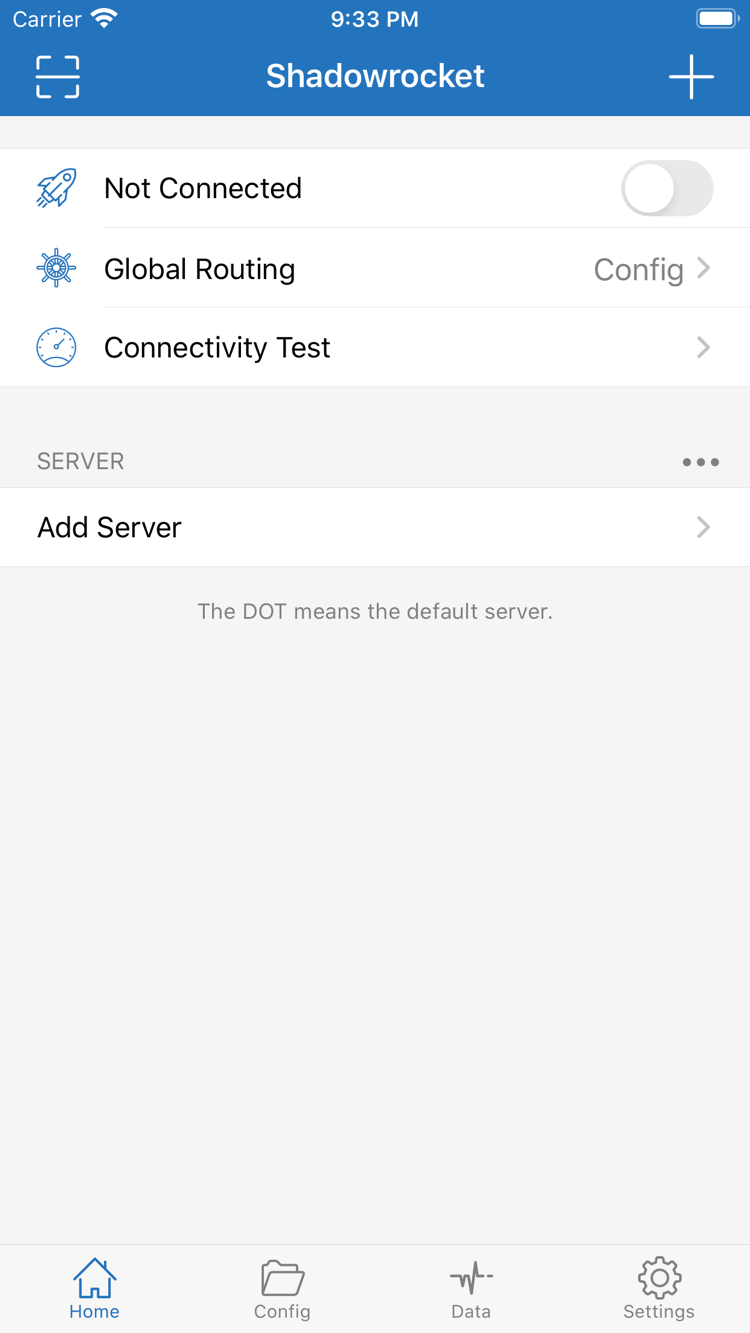
In Home > Global Routing, Config routes traffic according to the active configuration, Proxy sends regular traffic through the selected proxy, and Direct connects without a proxy. For rule-based routing, select the correct configuration file first, then check the matching order under Rule. DOMAIN-SUFFIX matches domain suffixes; IP-CIDR matches address ranges; place FINAL last to handle traffic that matches no earlier rule. To verify the setup, check which rule matches actual requests instead of relying only on the connection toggle.
Rules Guide · Global Routing and Match Order
On Demand
On Demand Connections
On Demand starts connections when configured conditions are met. Review the relevant options in Settings. Before enabling it, complete a manual connection test to confirm the server, DNS, and rules work, then configure network conditions one at a time. After saving, test on your usual Wi-Fi and mobile networks and check the connection state as conditions change. If the connection returns after you turn it off manually, check On Demand before deleting the configuration. To stop automatic connections, disable the relevant conditions first, then confirm the system connection state.
Connection Guide · Automatic Triggers and Network Changes
TLS
Protocols and Parameter Checks
Shadowrocket supports protocols including Shadowsocks, VMess, VLESS, Trojan, and Hysteria2. To add a server manually, select the matching Type under Add Server, then enter the address, port, and authentication details. Fields vary by protocol; check TLS, SNI, and transport settings against your server information rather than inferring the protocol from the port alone. After importing a share link, review its details too. If a connection times out, determine whether the issue is an unreachable address, failed authentication, or a transport mismatch before changing the relevant setting.
Protocols Reference · Type and Authentication Parameters
Subscribe
Importing Existing Subscriptions and Servers
Before importing, identify whether you have a single server share link, a server subscription, or a configuration URL. Add existing servers manually under Add Server, or use Scan QR Code or the app's clipboard import option. Handle configuration subscriptions under Config > Subscribe, choosing the entry point that matches the link's purpose. After import, check the server list and active configuration; seeing an entry does not confirm a successful connection. Subscription updates fetch the original URL again, so note any local changes before updating and keep authentication details private—do not expose them in screenshots or logs.
Import Guide · Link Types and Update Scope
FINAL
Configuration Files and iCloud Sync
Configuration files in Config contain settings such as General, Rule, and Hosts; server lists and rule files are separate. After switching configurations, confirm which file is active and whether Global Routing is set to Config. Save a working copy before editing, and change one related setting at a time so you can compare results and roll back. For iCloud sync, check the account, sync permissions, and file status on each device; synced configurations do not necessarily restore all authentication details. When moving to a new device, confirm the files are intact, review servers and subscriptions, and test the connection again.
Configuration Guide · Switching Files and Preparing for a New Device
DNS
Diagnostics and Data Statistics
Connectivity Test, Diagnostics under Settings, and Data statistics help investigate different issues. Connectivity Test provides a basic reachability check; diagnostic information helps trace requests; statistics show traffic changes. Results depend on the test method, destination, and current network, so they are not equivalent to real-world download speeds. If the connection toggle is on but access fails, check server status, Global Routing, DNS, and rule matches in that order. Before viewing or sharing diagnostic records, remove subscription URLs, authentication fields, and personal request details.
Diagnostics Guide · Connectivity and Resolution Paths